3-in-1 Magnetic 15W Wireless Charger Stand for Desk
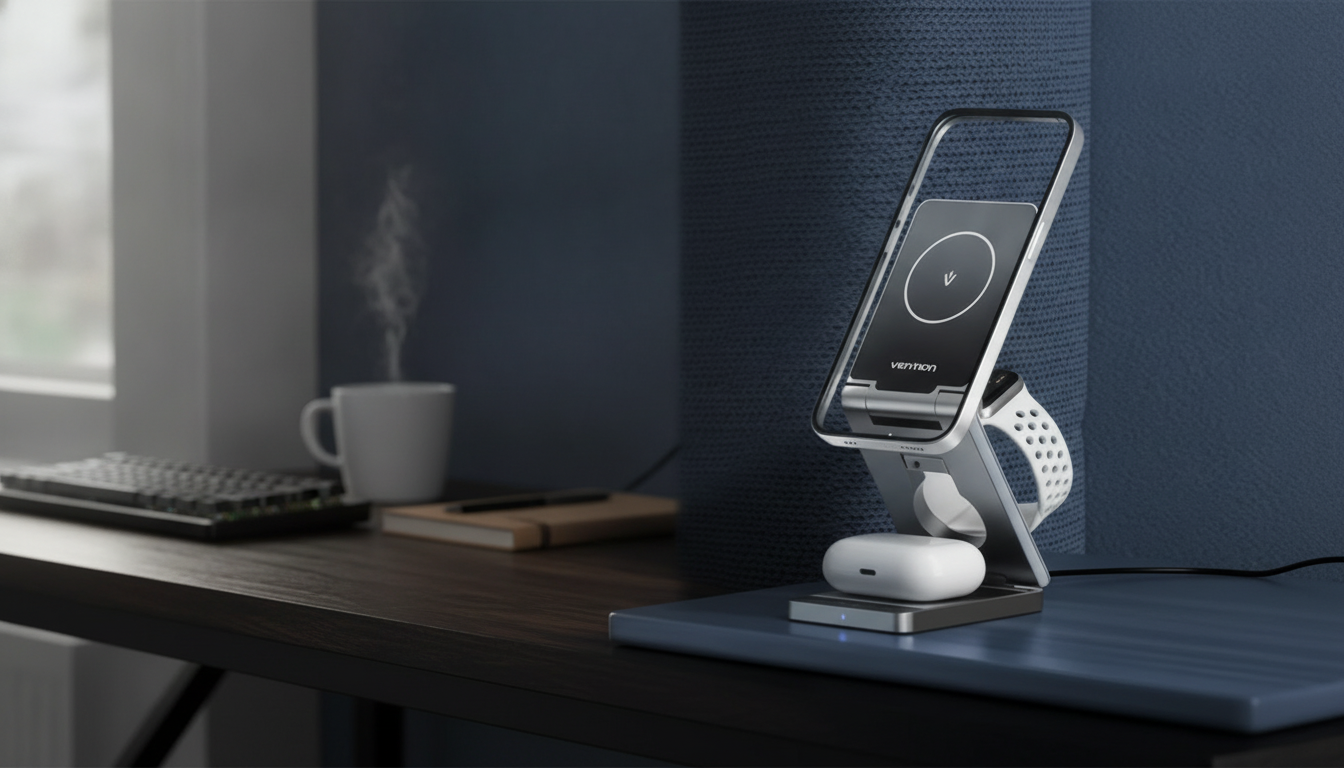
3-in-1 Magnetic Wireless Charger Stand – Fast 15W Charging Station
A single, tidy charging station can replace a nightstand full of cables—especially when it holds a phone at a readable angle, keeps alignment steady with magnets, and powers multiple devices at once. The 3-in-1 Magnetic Wireless Charger Stand – Fast 15W Charging Station is designed for everyday drop-and-charge convenience at home or at the office, helping keep your most-used gear in one consistent spot. For more guidance, see Magnetic Charging Stand What Iphones Have Wireless Charging ….
What This 3-in-1 Magnetic Stand Does
This style of charging stand is built around one simple idea: reduce friction. Instead of hunting for the right cable or juggling outlets, you set your devices down in their dedicated zones and let the station handle the rest. For further reading, see KPON Foldable 3in1 Charging Station for Magsafe, Travel Phone ….
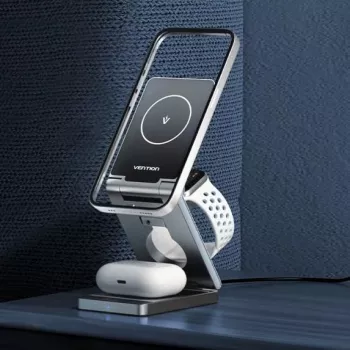
- Charges up to three devices from one station: a compatible magnetic phone, plus secondary charging spots for additional gear (commonly earbuds and a smartwatch).
- Magnetic alignment helps keep the phone centered on the charging coil for more consistent charging and fewer misalignment interruptions.
- Stand-style design keeps the phone visible for notifications, calls, and standby/clock use while charging.
- A cleaner setup reduces cable clutter and makes it easier to keep daily devices topped up in one place.
Charging Performance and Everyday Speed
Wireless charging convenience is usually the main reason to upgrade, but speed matters too. This station supports fast wireless output up to 15W when paired with the right power adapter and a phone that supports the same wireless charging profile. In day-to-day use, actual charging rates can vary—sometimes significantly—depending on your device and how it negotiates power.
- Fast wireless output up to 15W (when paired with a compatible power adapter and a phone that supports the same wireless charging profile).
- Real-world charging speed varies based on device model, wireless charging standard support, case thickness, and power adapter capability.
- Magnetic placement reduces the need to reposition the phone, which can improve charging reliability compared to non-magnetic pads.
- For best results, use a quality USB-C power adapter with sufficient wattage and a cable in good condition.
What Affects Wireless Charging Speed
| Factor | What to look for | Why it matters |
|---|---|---|
| Power adapter | Higher-wattage USB-C adapter (PD-style) | The stand can only deliver fast output if the adapter supplies enough power |
| Phone support | Device supports faster wireless modes | Some phones cap wireless input below 15W |
| Case and accessories | Thin case; avoid metal plates | Thick or magnetic add-ons can reduce efficiency or cause heat |
| Placement | Magnetic snap/centered coil | Better coil alignment improves charging stability |
For readers who like to confirm standards, the Wireless Power Consortium (Qi Standard) provides background on Qi wireless charging and how certified ecosystems are designed to work across devices.
Compatibility: Phones, Watches, and Earbuds
Multi-device wireless stations are most satisfying when everything “just works,” so it’s worth doing a quick compatibility check before settling on a permanent setup.
- Magnetic charging is best with phones designed for magnetic wireless ecosystems or with compatible magnetic cases.
- Earbuds that support Qi wireless charging can typically use a flat charging spot on multi-device stations.
- Smartwatch charging varies widely by brand; use the intended watch charging interface supported by the station and confirm your watch model’s compatibility before purchase.
- If a device supports wireless charging but charges slowly, the device may be using a lower negotiated wattage.
Manufacturer support pages can also clarify device behavior and limitations, including wireless charging expectations and accessory fit. For example: Apple Support – Use MagSafe accessories with iPhone and Samsung Support – Wireless charging.
Design Benefits: Desk, Nightstand, and Travel Use
A stand-style charger does more than power devices—it shapes a daily routine. When there’s a dedicated “home base,” it’s easier to keep essentials charged without thinking about it.
- Stand orientation keeps the screen angled for quick glances, video calls, or alarms while charging.
- One-home-base approach helps prevent leaving a watch or earbuds uncharged by giving them a consistent spot.
- A single station can simplify packing: bring one charger setup instead of multiple bricks and cables (when size and power needs fit the trip).
- Magnetic hold is especially helpful on crowded desks where accidental bumps can shift a phone on a standard pad.
On a nightstand, that angled screen is especially handy for checking the time, catching notifications, or using standby/clock modes while still keeping the charging area neat and predictable.
Setup Tips for the Most Reliable Charging
Wireless charging is at its best when distance and alignment stay consistent. A few small habits can reduce “why didn’t it charge?” surprises in the morning.
Is This the Right Charging Station for You?
Recommended Picks (In Stock)
- 3-in-1 Magnetic Wireless Charger Stand – Fast 15W Charging Station (USD 42.51)
- AI as Your Book-Writing Partner | Ultimate Guide to Using AI to Write a Book | Step-by-Step eBook for Authors, Bloggers & Creatives (USD 10.99)
- Smart Accounting with AI | Digital Download Guide for Accountants | eBook, Checklist & AI Tools for Accounting Professionals (USD 11.99)
FAQ
Does 15W wireless charging work with every phone?
No. 15W is the stand’s potential output, but the actual charging speed depends on what wireless charging mode your phone supports and whether your power adapter can supply enough wattage for fast charging.
Will it charge through a phone case?
Most thin, wireless-charging-compatible cases will work. Very thick cases or cases with metal/magnetic plates can reduce efficiency, cause extra heat, or prevent charging altogether.
Can it charge phone, watch, and earbuds at the same time?
Yes, it’s designed for multi-device charging, but performance depends on the power adapter you use and the wireless requirements of each device. If charging feels slow with everything connected, a higher-quality, higher-wattage USB-C adapter can help.




Leave a comment